The Lumin Hub Steal a Brainrot Script works as a special game tool that helps you control and change some parts of a Roblox game. You use it to add new powers or tricks that are not normally in the game. To make it work, you first need a Roblox script executor. This executor is like a program that runs the code inside the game. You copy the Lumin Hub Script, paste it into the executor, and then press the execute button. After you do this, the script starts working automatically and connects with your game.
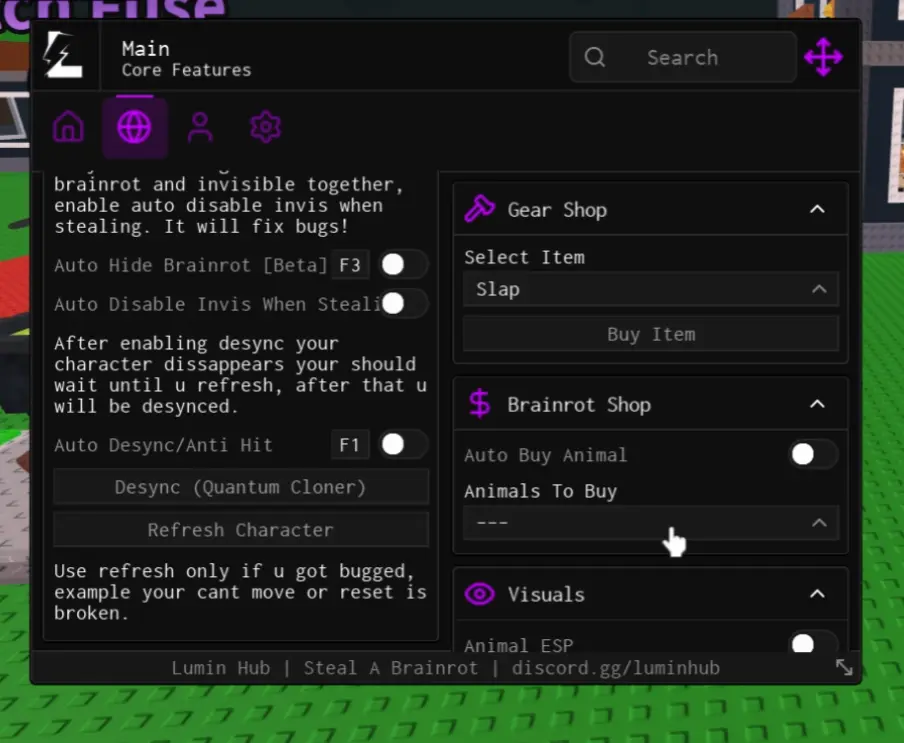
When the script runs, it opens a small menu on your screen. This menu gives you different options like speed boost, anti-hit, invisibility, and more. You can turn these options on or off just by clicking the buttons. Each option sends a small command to the game to change how your character behaves. For example, the anti-hit option makes your player harder to attack.
The script is already coded, so you don’t need to write anything yourself. You only use the executor to make it work. Once you are done playing, you can close the executor, and the game goes back to normal. This is how the Lumin Hub Steal a Brainrot Script works.
Lumin Hub Steal a Brainrot Script

loadstring(game:HttpGet("http://luminon.top/loader.lua"))()Also get
As of now, this will help you a lot to steal the latest steal a brainrots in the game.
Lumin Hub Features & Benefits
- Fly
- Instant Steal
- Auto Laser
- Auto Aim
- Platform Teleport
How to Use Steal a Brainrot Script Lumin Hub
- Download Lumin Hub from my website.
- Open Roblox and load the game.
- Paste the Brainrot Script into Executor and execute it.
- Now the script loads and you’re ready for stealing the brainrots using Lumin Float V2.
That’s all — the script is safe, updated, and ready to use.